≋
Feedback everywhere
The latest request is buried somewhere between a chat, a call, and the file you reviewed yesterday.
Turn scattered feedback, meetings, and progress into a clear next step. Meet the adaptive workspace built around your project's evolving context.
An early look at a new way to work together.
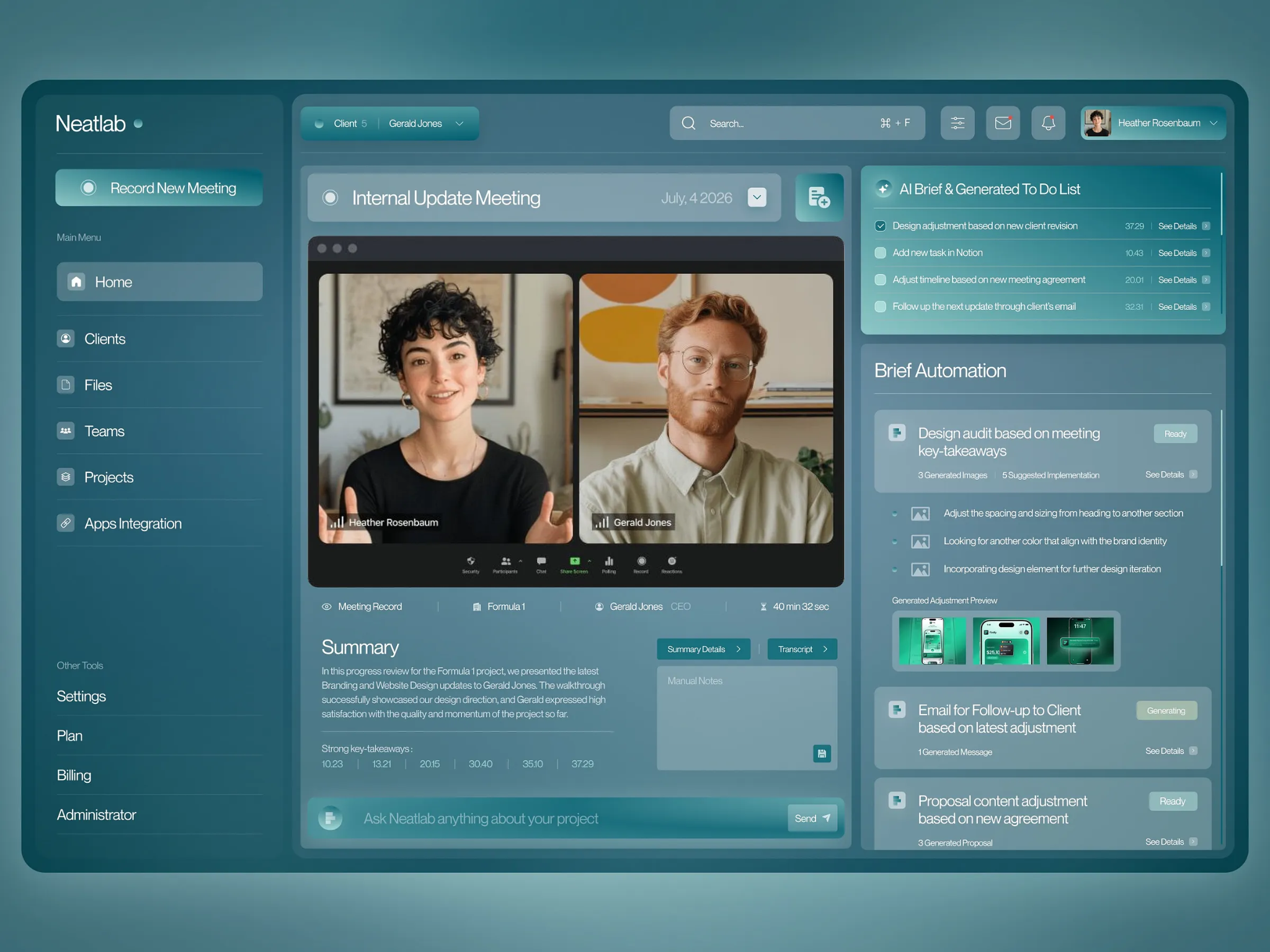 First product concept · Not a live application
A message here. A meeting there. Another revision in a document. Keeping everyone aligned becomes a project of its own.
The latest request is buried somewhere between a chat, a call, and the file you reviewed yesterday.
A new decision changes the work, but your tasks, scope, and milestones still tell the old story.
Your team spends time reconstructing what happened instead of working out what comes next.
Neatlab is designed to compare incoming changes with your current work, explain the impact, and propose the next steps for your review.
“Can we simplify checkout and let customers buy without creating an account?”
Connected context: approved scope, checkout designs, development milestone.
No plan changes without approval.
Interactive concept using curated examples. No live AI processing.
One connected loop, built to keep the project moving as new information arrives.
Add your scope, milestones, goals, documents, and collaborators.
Add feedback, meeting notes, and the latest work for review.
Review proposed briefs, affected tasks, and potential scope changes.
Confirm the changes and keep the decision connected to its source.
Scope, timelines, files, tasks, and progress belong to the same story. Neatlab brings them together so every update has somewhere to land.
Give each team a room for shared AI conversations, discussion, and focused work. Keep project context connected with intentional access boundaries.
Illustrative conversation
Collaborators can build on the same AI conversation instead of starting from scratch in separate chats.
Internal discussions stay within their intended audience. Sharing a project should not mean sharing everything.
The planned meeting assistant connects summaries and action items to the project they belong to. Revisit the source, review the interpretation, and decide what should change.
Meeting capture and Zoom support are planned capabilities.
Get a first draft grounded in project context: revision briefs, follow-up messages, and planning suggestions. Visual directions and generated documents are part of the broader vision.
AI outputs are proposals for your team's review.
Based on client feedback and the current checkout flow.
Open question: confirm engineering effort and delivery impact.
The vision includes chat, calls, documents, videos, and work links. Start with the information that changes the project.
Select an input to explore its planned role.
Integration roadmap. These connections are not available yet.
Our initial focus is creative and software teams. The longer-term vision reaches across project-based industries.
Turn scattered client revisions into a focused brief, track approvals, and make scope changes visible.
Connect stakeholder requests to current requirements, implementation dependencies, and delivery plans.
Future exploration: consulting, architecture, and construction workflows with their own review and coordination needs.
What Neatlab is, where it's going, and how you can help shape it.
Neatlab is at the idea stage. This page presents the product direction and interactive concept examples, not an available application.
The intended workflow keeps people in control. AI proposes changes with their source and potential impact; your team reviews and approves them.
Project tracking is the foundation. Neatlab's focus is connecting incoming feedback to current progress and helping teams understand what changed and what to do next.
No. The listed inputs and meeting assistant are planned capabilities. Availability will depend on implementation and supported provider access.
Studio founders, project leads, and software teams handling frequent client or stakeholder feedback. Real workflows will help define the first release.
Pricing and launch timing have not been announced. The initial priority is validating the workflow with prospective users.
Follow Neatlab's progress and help shape a workspace that keeps feedback, people, and plans connected.
In development · No release date announced